jixopn Sensitive Pencil for compatible with Microsoft Surfaceicrosoft Surface Pro 3 4 5 6 7 8 Universal Write Pen Notebook Bluetooth-Compatible

599,00 kr
+ 55,99 kr Leverans

jixopn Sensitive Pencil for compatible with Microsoft Surfaceicrosoft Surface Pro 3 4 5 6 7 8 Universal Write Pen Notebook Bluetooth-Compatible

  • Märke: Unbranded
Säljs av:

jixopn Sensitive Pencil for compatible with Microsoft Surfaceicrosoft Surface Pro 3 4 5 6 7 8 Universal Write Pen Notebook Bluetooth-Compatible

  • Märke: Unbranded

599,00 kr

Spara 350,00 kr (36%)

RRP

949,00 kr
I lager
+ 55,99 kr Leverans

14-dagars returpolicy

Säljs av:

599,00 kr

Spara 350,00 kr (36%)

RRP

949,00 kr
I lager
+ 55,99 kr Leverans

14-dagars returpolicy

Betalningsmetoder:

Beskrivning

jixopn Sensitive Pencil for compatible with Microsoft Surfaceicrosoft Surface Pro 3 4 5 6 7 8 Universal Write Pen Notebook Bluetooth-Compatible

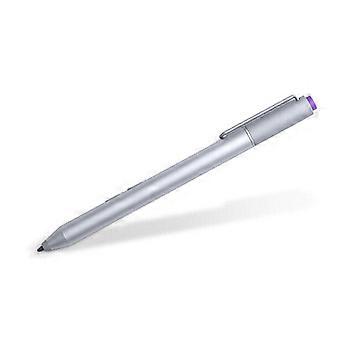
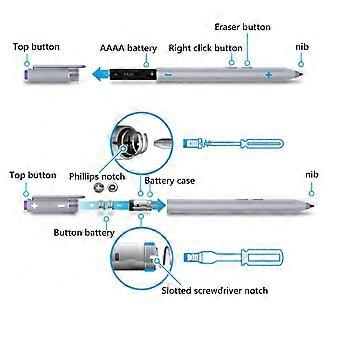
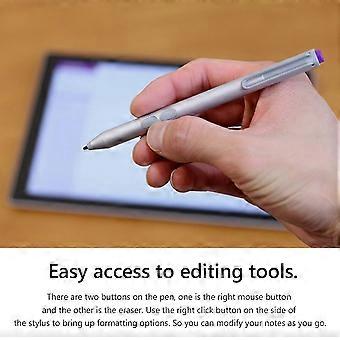
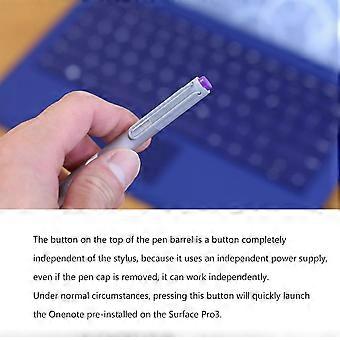
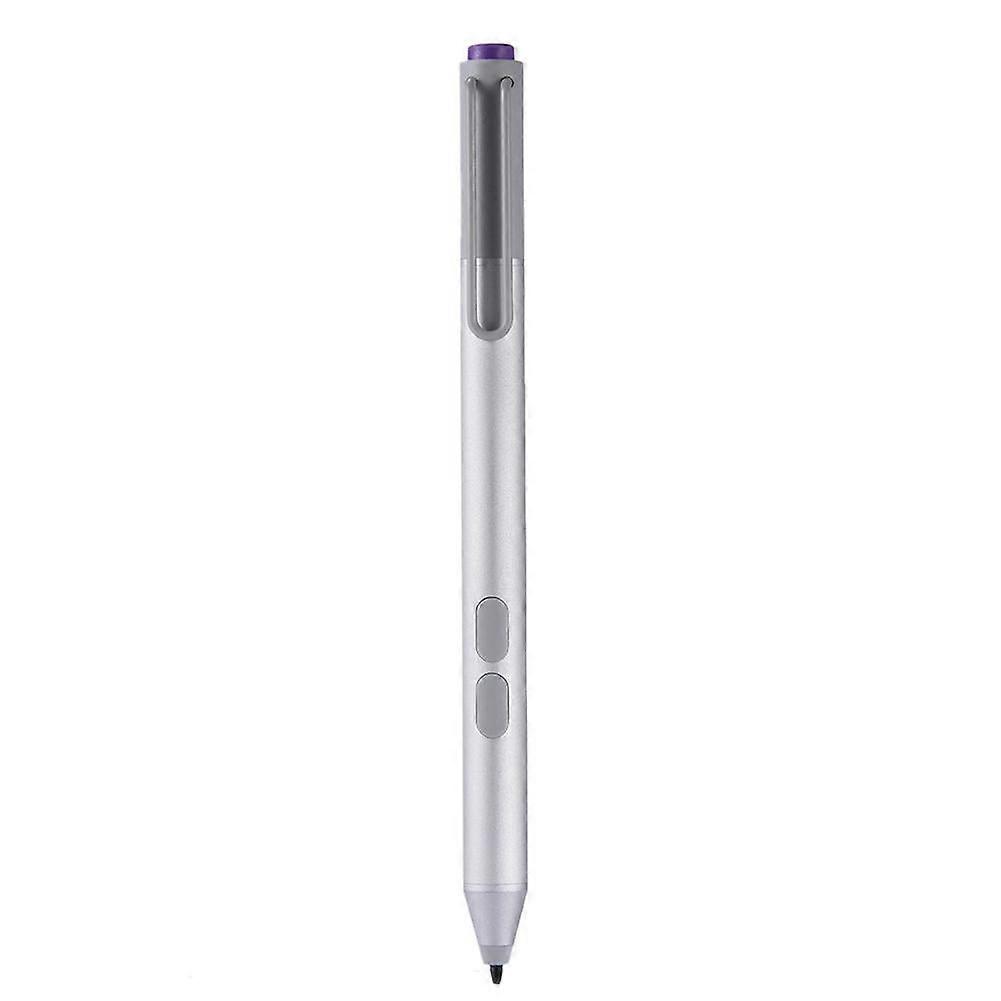
Sensitive Stylus Pencil for compatible with Microsoft Surfaceicrosoft Surface Pro 3 4 5 6 7 8 Laptop Write Pen Notebook Bluetooth-Compatible with Screenshot Paint Accessory Feature: Bluetooth-compatible connection. There is no need to worry about the connection problem, once set, you can automatically connect to the tablet through Bluetooth-compatible. 4096 pressure sensing. For Surface Pen supports a maximum pressure sensing level of 4096 with 4096 pressure points, providing you with a unique drawing experience and instant response to accurately copy text without delay. Easy access to editing tools. There are two buttons on the pen, one is the right mouse button and the other is the eraser. Use the right click button on the side of the stylus to bring up formatting options. So you can modify your notes as you go. Long press the pen cap to pair, double click to cut the picture. Hold down and hold down for 10 seconds. When the yellow indicator blinks, tap match in system setting-Bluetooth-compatible Device. Click the purple button to call out onenote. Double-click the button to call out Onenote Humanized button, convenient productivity. The upper part is the right button, which can realize the right mouse button function; The lower part is eraser delete button, which can realize eraser and delete function in supported software Specification: Color: Silver Material: aluminum case Pressure sensing: 4096 grade pressure sensing Connectivity: Bluetooth-compatible 4.0 Button: Right click and clear Battery: 2 button batteries; 1 AAAA battery Function: Support bluetooth-compatible connection and screen capture with eraser deletion function Size: Diameter: 9.5mm/0.37in; Length: 135 mm/5.3in + / - 1 mm Weight: 20 g Applicable model: For compatible with Microsoft Surfaceicrosoft Surface 3 For compatible with Microsoft Surfaceicrosoft Surface Pro 3 For compatible with Microsoft Surfaceicrosoft Surface Pro 4 For compatible with Microsoft Surfaceicrosoft Surface Pro 5 For compatible with Microsoft Surfaceicrosoft Surface Pro 6 For compatible with Microsoft Surfaceicrosoft Surface Pro 7 For compatible with Microsoft Surfaceicrosoft Surface Pro 8 For compatible with Microsoft Surfaceicrosoft Surface Pro X For compatible with Microsoft Surfaceicrosoft Surface Book1/2/3 For compatible with Microsoft Surfaceicrosoft Surface Laptop1/2/3/4 For compatible with Microsoft Surfaceicrosoft Surface Studio For compatible with Microsoft Surfaceicrosoft Surface Go1/Go2/Go3 Note: Due to the different monitor and light effect, the actual color of the item might be slightly different from the color showed on the pictures. Thank you! Please allow 1-2cm measuring deviation due to manual measurement. Included: 1 x Stylus Pencil Bluetooth-compatible connection. There is no need to worry about the connection problem, once set, you can automatically connect to the tablet through Bluetooth-compatible. 4096 pressure sensing. For Surface Pen supports a maximum pressure sensing level of 4096 with 4096 pressure points, providing you with a unique drawing experience and instant response to accurately copy text without delay. Easy access to editing tools. There are two buttons on the pen, one is the right mouse button and the other is the eraser. Use the right click button on the side of the stylus to bring up formatting options. So you can modify your notes as you go. Long press the pen cap to pair, double click to cut the picture. Hold down and hold down for 10 seconds. When the yellow indicator blinks, tap match in system setting-Bluetooth-compatible Device. Click the purple button to call out onenote. Double-click the button to call out Onenote Humanized button, convenient productivity. The upper part is the right button, which can realize the right mouse button function; The lower part is eraser delete button, which can realize eraser and delete function in supported software
  • Märke: Unbranded
  • Kategori: Pekpennor
  • Färg: color
  • Storlek: size
  • Fruugo-ID: 448162799-941946318
  • EAN: 9114532437485

Produktsäkerhetsinformation

Se produktsäkerhetsinformationen som är specifik för denna produkt som beskrivs nedan

Följande information tillhandahålls av den oberoende tredjepartsåterförsäljaren som säljer denna produkt.

Säkerhetsvarningar: Warning to keep away from water to prevent electric shocks.
Ingredienser: Other

Leverans och returer

Skickas inom 3 dagar

  • STANDARD: 55,99 kr - Leverans mellan kl tors 01 januari 2026–mån 05 januari 2026

Leverans från Kina.

Vi gör vårt bästa för att säkerställa att produkterna du beställer levereras kompletta och enligt dina specifikationer. Om du däremot skulle ta emot en ofullständig beställning, eller andra artiklar än de du beställt, eller om det finns någon annan anledning till att du inte är nöjd med din beställning, kan du returnera beställningen, eller valfria produkter som ingår i beställningen, och få fullständig ersättning för artiklarna. Visa fullständig returpolicy

Produktöverensstämmelsedetaljer

Vänligen se överensstämmelseinformationen som är specifik för denna produkt som beskrivs nedan.

Följande information tillhandahålls av den oberoende tredjepartsåterförsäljaren som säljer denna produkt.

Tillverkare:
Följande information beskriver kontaktuppgifter för tillverkaren av denna produkt som säljs på Fruugo.

  • Yang Yue
  • Lixian Penghui Trading Co., Ltd.
  • Group 5,Renhe Village
  • Changde City
  • CN
  • 415500
  • buzhengchanga@outlook.com
  • +1(319)277-0024

Ansvarig person i EU:
Följande information innehåller kontaktuppgifter för den ansvariga personen i EU. Den ansvariga personen är den utsedda ekonomiska aktör i EU som ansvarar för att skyldigheterna uppfylls för denna produkt som säljs till Europeiska unionen.

  • eVatmaster Consulting GmbH
  • eVatmaster Consulting GmbH
  • Raiffeisen Street2 B1l
  • Rodgau
  • DE
  • 63110
  • contact@evatmaster.com
  • +49 61062699873